Why Finding a Name is Harder Than Finding a Credit Card
Not all personal data is created equal — at least not from a detection standpoint. Here's why the hardest PII categories are the ones that matter most in a DSAR.
Some PII is Easy
A credit card number is always sixteen digits. An email address always contains an @ symbol and a domain. A National Insurance number follows a specific letter-number pattern. These are solved problems. A well-written rule can find them reliably, every time.
But what about a name? A job title? A postal address?
These are the categories that make PII detection genuinely difficult — and they're exactly the categories that matter most in a Data Subject Access Request.
The Problem with Names
Consider the word "Grace." Is it a person's name? It depends entirely on context.
- "Grace joined the team in March" — that's a name.
- "The building's grace period expires Friday" — that isn't.
- "Grace under pressure is what defines this team" — probably not, but a human might need to read the full paragraph to be sure.
Now multiply that ambiguity across every common name that doubles as an ordinary English word. Rose, Mark, Bill, Will, Dawn, Faith, Hunter, Chase, Iris, Heath. A simple pattern that flags every occurrence of these words would drown you in false positives. A pattern that only flags capitalised words would miss names in headers, subject lines, and all-caps documents — and would flag every word at the start of a sentence.
Names don't follow a format. They don't have check digits. They come from every culture and language, they vary in length from two letters to thirty, and they can appear anywhere in a sentence in any grammatical role. Finding them reliably requires something that understands how language works, not just what characters are present.
Job Titles: Even More Ambiguous
Job titles are arguably harder than names. At least names are typically nouns. Job titles are phrases that blend into surrounding text with almost no structural markers.
- "She works as a senior project manager" contains a job title.
- "She manages senior projects" does not.
- "Head of Marketing" is a title.
- "The head of the marketing department approved it" contains the same words but in a different grammatical structure.
- "Associate" is a job title at a law firm and an ordinary verb everywhere else.
There is no finite list of job titles. New ones are invented constantly — "Chief Happiness Officer", "Growth Hacker", "DevOps Engineer" — and they combine ordinary words in ways that only make sense as titles in specific contexts. You cannot write a pattern for this. You need something that understands the role each word plays in a sentence.
Addresses: Structured but Unpredictable
Addresses sit somewhere between the two extremes. They have more structure than names — street numbers, road types, postcodes — but they appear in wildly varying formats across documents.
A formal letter might have a neatly formatted address block at the top. An email might mention "our office at 14 King Street" mid-sentence. A spreadsheet might split an address across five columns or concatenate it into one. Some documents use abbreviations (St, Rd, Ave), others spell them out. International formats differ significantly — a UK postcode looks nothing like a US ZIP code.
Addresses also span multiple lines, which means detection needs to understand that "14 King Street" on one line and "London, EC2R 7HJ" on the next are parts of the same entity, not two unrelated pieces of text.
Why Simple PII is Simple
Compare all of this to a credit card number. Sixteen digits, usually grouped in fours, validated by the Luhn algorithm. A phone number follows one of a handful of international formats. An email address has exactly one valid structure.
These categories have something names and job titles lack: a verifiable format. You can check whether a string could be a valid credit card number without understanding a single word of the surrounding text. The format itself carries enough information.
This is why PII detection tools that rely solely on pattern matching hit a ceiling. They handle structured data well — sometimes very well — but they struggle with the unstructured categories that make up the bulk of personal data in most organisations' documents.
How Hunters Use AI to Close the Gap
PIIQ's Hunters are purpose-built to tackle these harder categories. Rather than scanning for patterns, Hunters use artificial intelligence to read and understand the text surrounding each potential match.
When a Hunter encounters the word "Grace", it doesn't just check whether the word is capitalised or appears in a list of known names. It examines the context: what words come before and after, what grammatical role the word plays in the sentence, whether the surrounding text suggests a person is being discussed. The AI has been trained on vast amounts of text and understands the difference between "Grace sent the report" and "a grace period of thirty days."
The same contextual intelligence applies to job titles. The AI recognises that "senior project manager" functions as a title in "she was hired as a senior project manager" but not in "the project manager's senior colleague." It understands the grammatical structures that signal a job title versus ordinary descriptive text.
For addresses, Hunters combine geographic knowledge with pattern awareness — recognising street types, postal code formats, and the characteristic structure of address blocks even when they're embedded in running text or split across lines.
To run Hunters, you select which types to scan for — names, job titles, addresses, or all three — and choose a Unit of Inference to process the request.
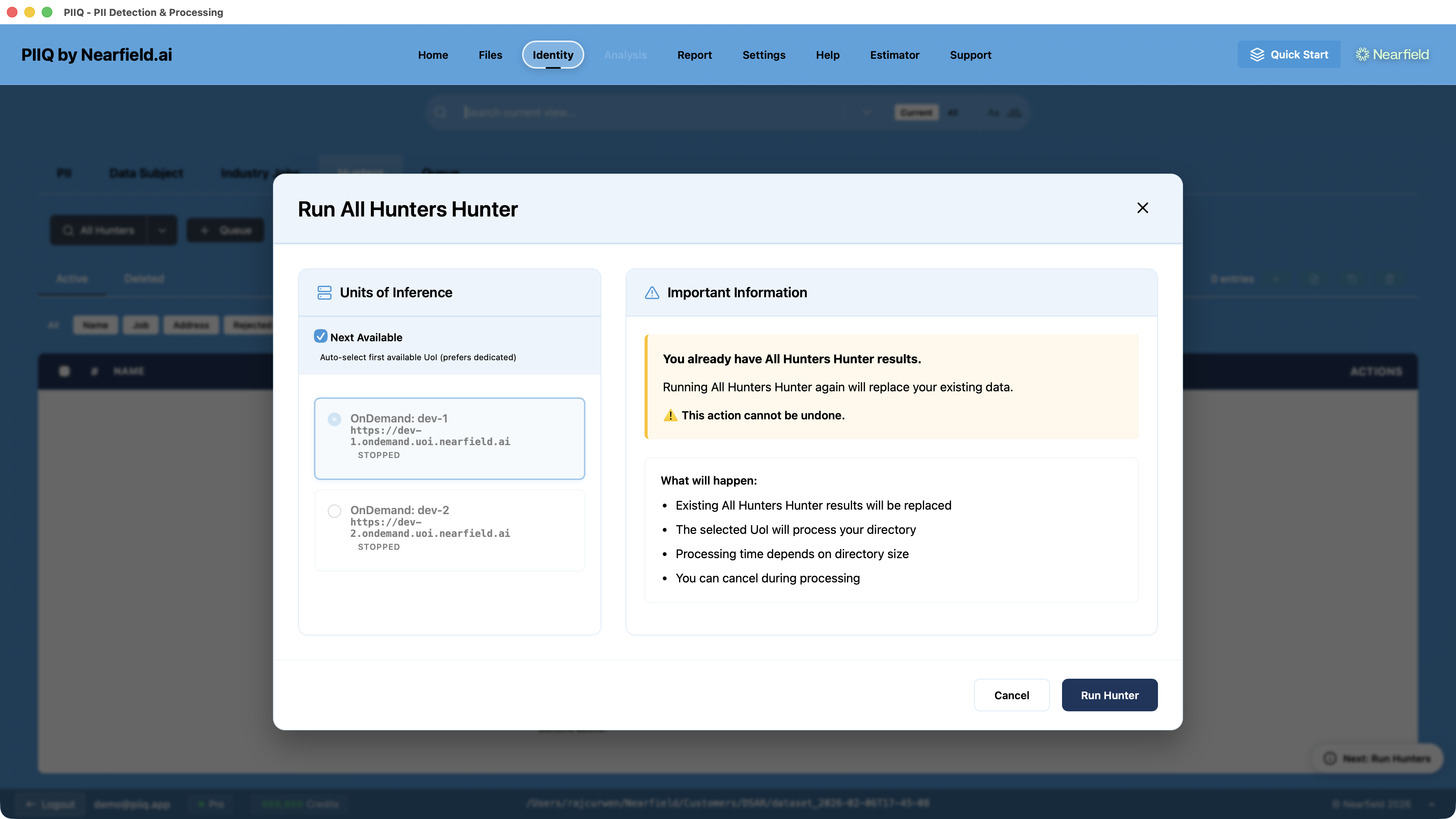
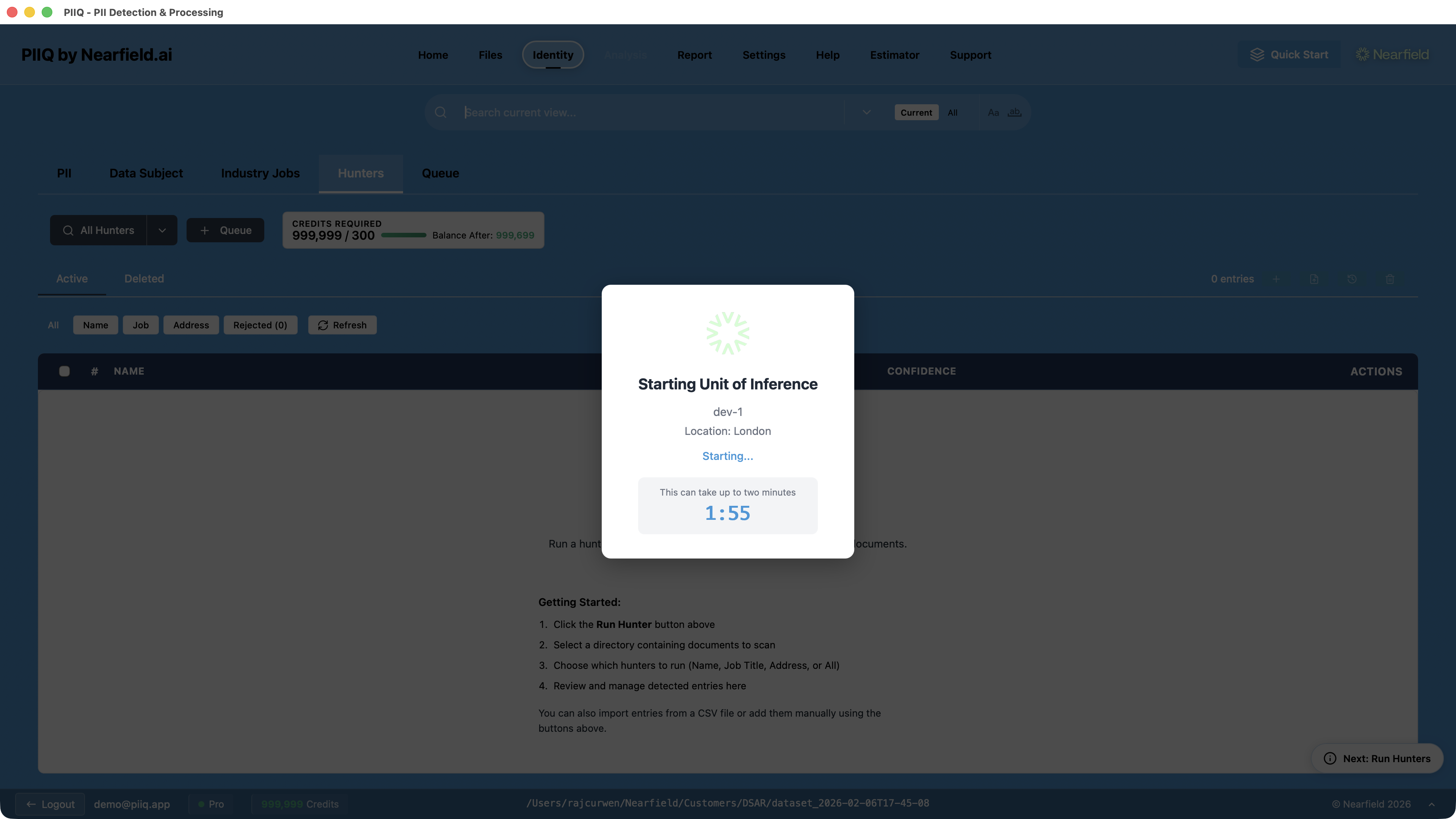
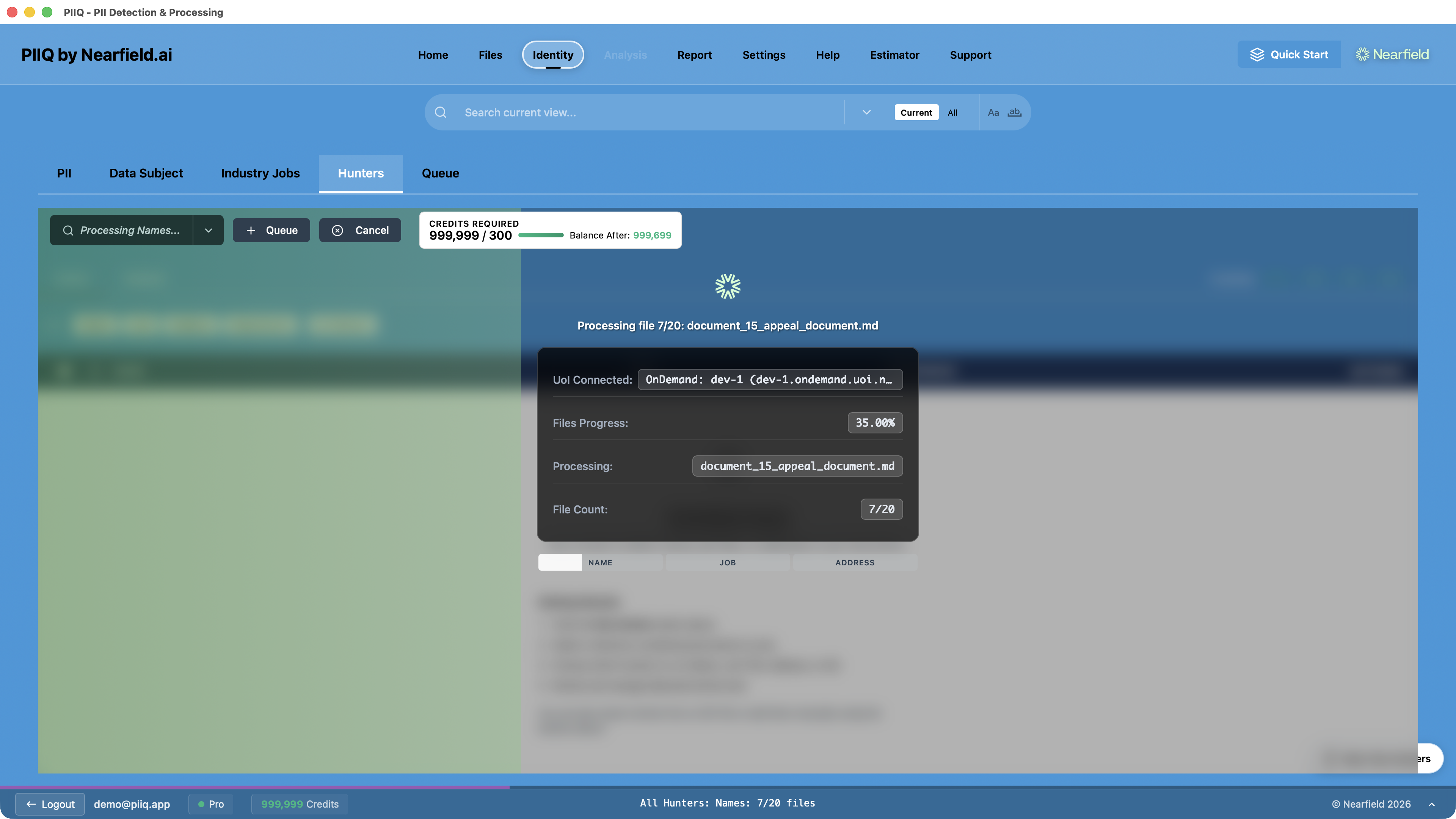
PIIQ spins up a dedicated AI instance and processes every file in your directory. You can watch progress in real time as it works through the document set.
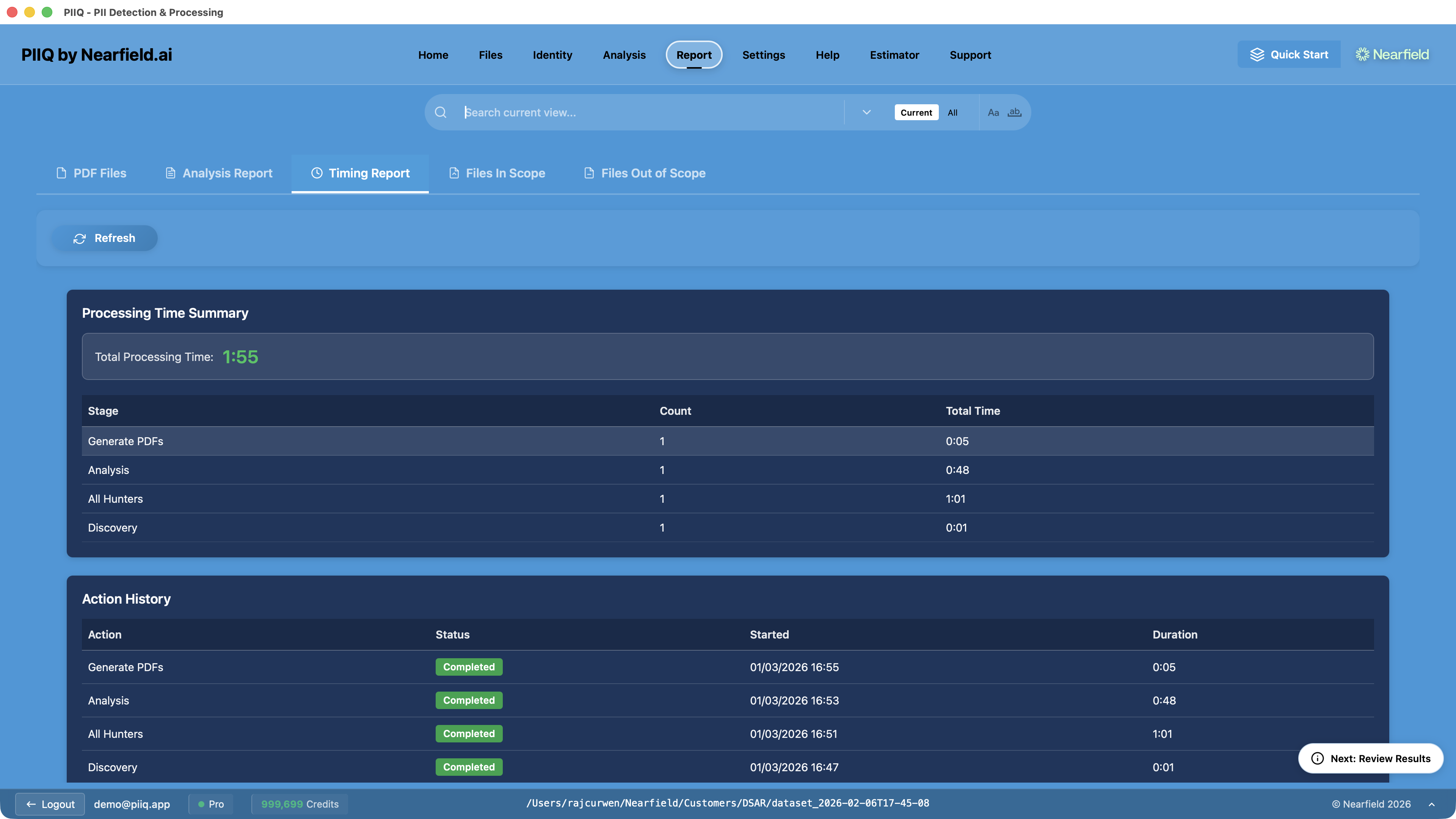
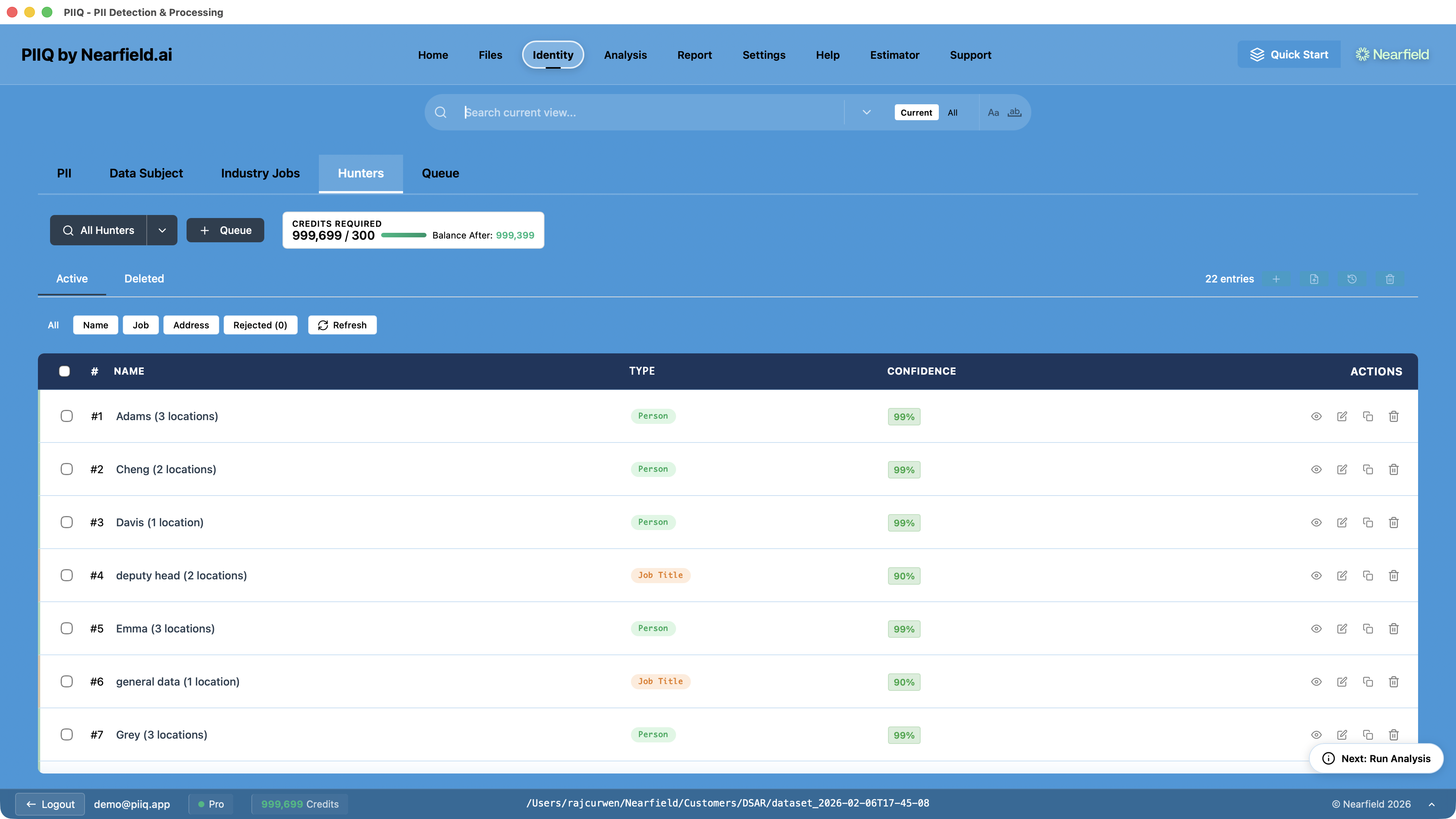
The results show every detected entity with its type and confidence score.
What Hunters Return
Hunters don't redact anything. They search and report.
The output is a list: every potential name, job title, or address found across your document set, along with where it was found and how confident the AI is in each detection. A name detected in clear context — "Please contact Sarah Mitchell at extension 4421" — will carry a high confidence score. An ambiguous case — "the Bishop approved the request" — will score lower, flagging it for human review.
This list is the starting point, not the final answer. Hunters are a screening tool. They surface what's likely to be personal data so you can review it, confirm or reject each finding, and build an accurate picture of what PII exists in your documents before you process them.
Accurate, Not Perfect
No AI system detects personal data with 100% accuracy, and we don't pretend otherwise. Names from unfamiliar cultures might be missed. Unusual job titles might not be recognised. An address in a format the system hasn't encountered might slip through.
But perfection isn't the benchmark. The benchmark is: how much time does this save compared to a human reading every document manually?
The answer, in practice, is significant. A Hunter scan across hundreds of documents takes minutes. A human doing the same work takes days. And the Hunter's accuracy on well-structured text is high enough that the review step — confirming or rejecting results — is fast. You're checking a curated list, not reading every page.
The combination of AI detection and human review gives you something neither achieves alone: speed and judgement.
The Full DSAR Workflow in PIIQ
Hunters are one part of a larger process. Here's how a complete DSAR flows through PIIQ.
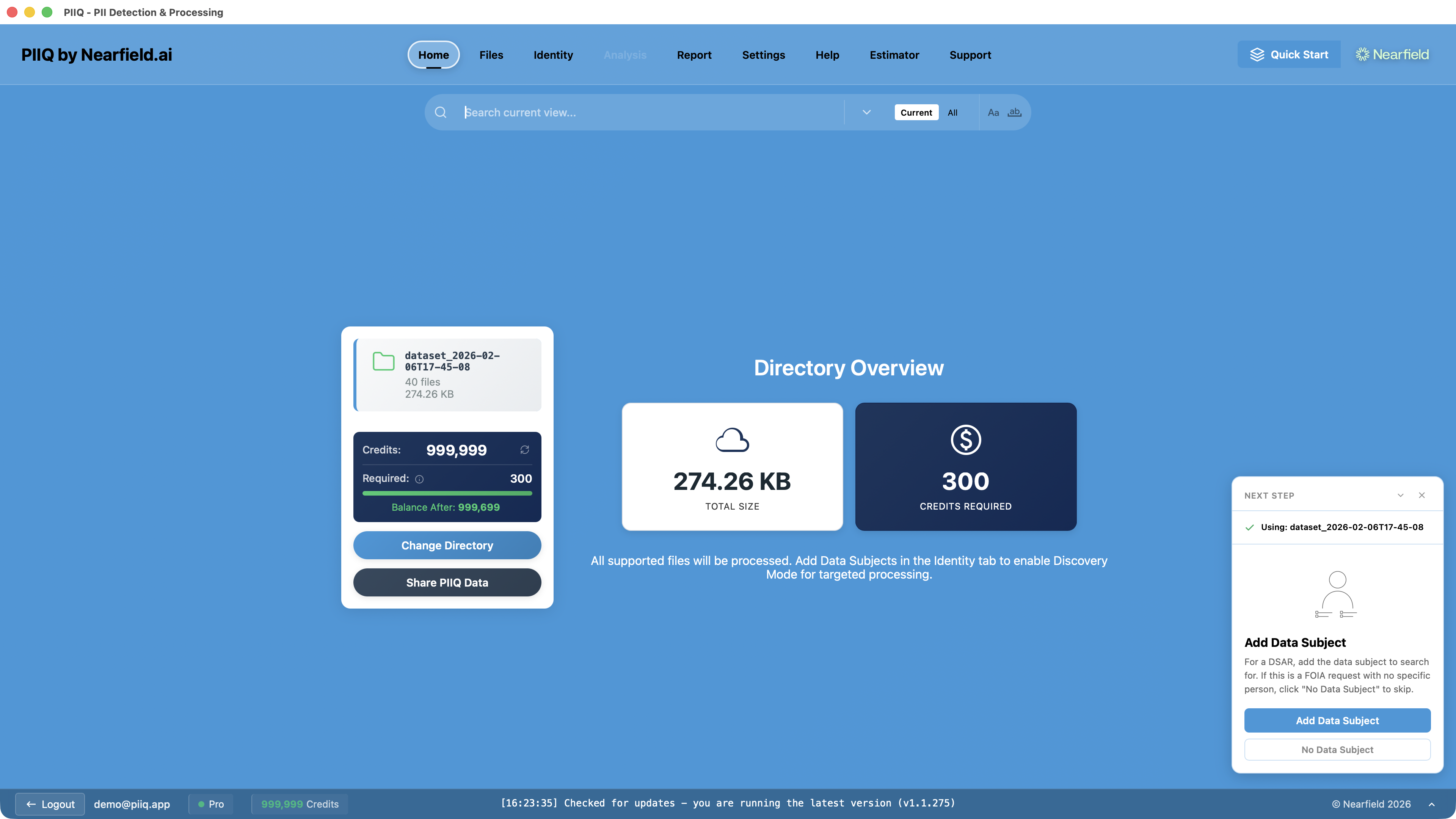
Step 1: Open the directory — Point PIIQ at the folder containing the documents relevant to the request. The home screen shows you the full file count, supported formats, and total size.
Step 2: Run Hunters — Select which Hunters to run — names, job titles, addresses, or all three. Hunters scan every supported file and return their findings with confidence scores and file locations.
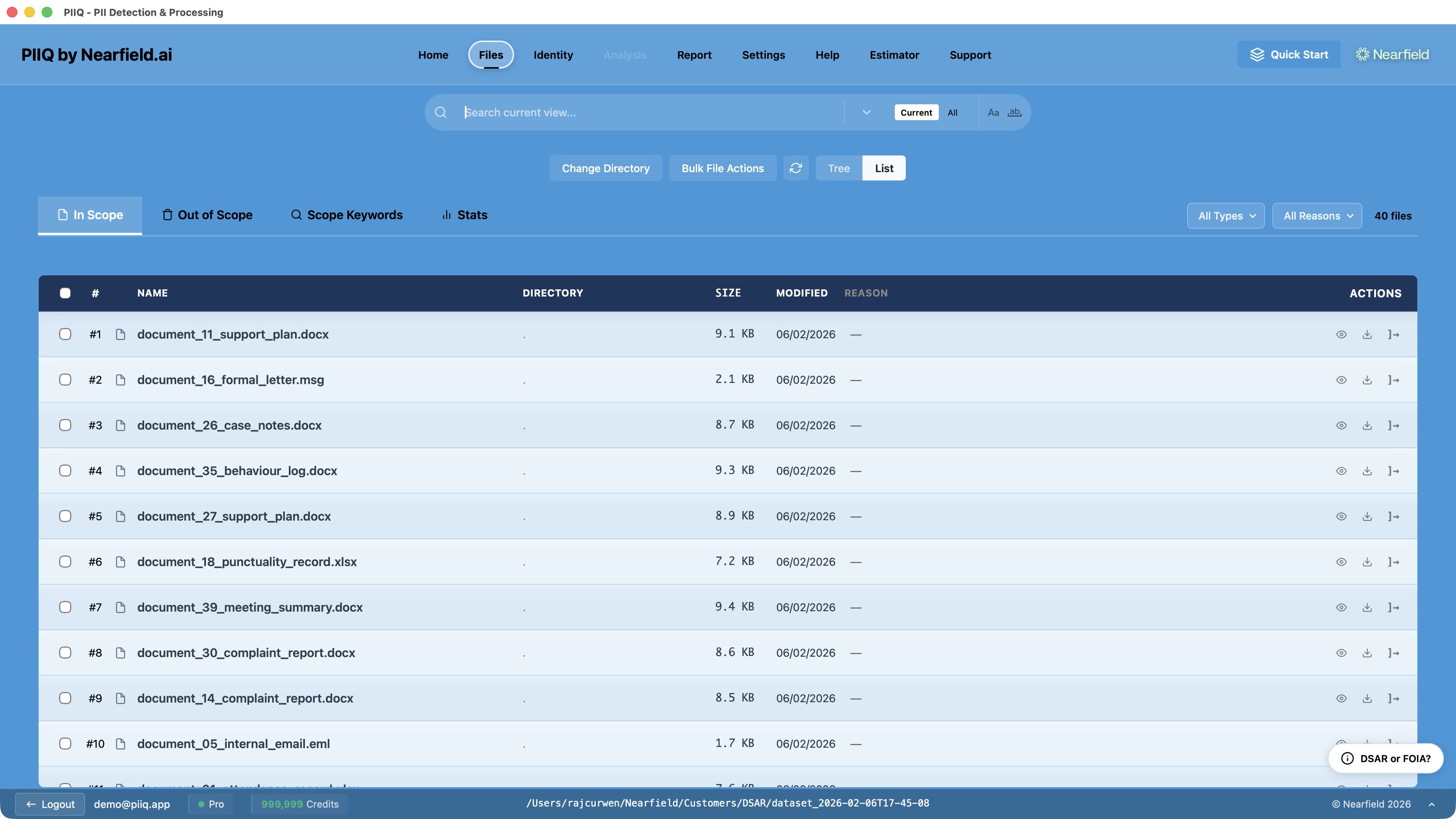
Step 3: Review Hunter results — Accept findings that are genuine PII. Reject false positives. Accepted names can be added directly to your data subject list or PII detection list.
Step 4: Configure exclusions — Apply Standard Exclusion categories to remove irrelevant document types. Add custom scope keywords for your organisation's conventions.
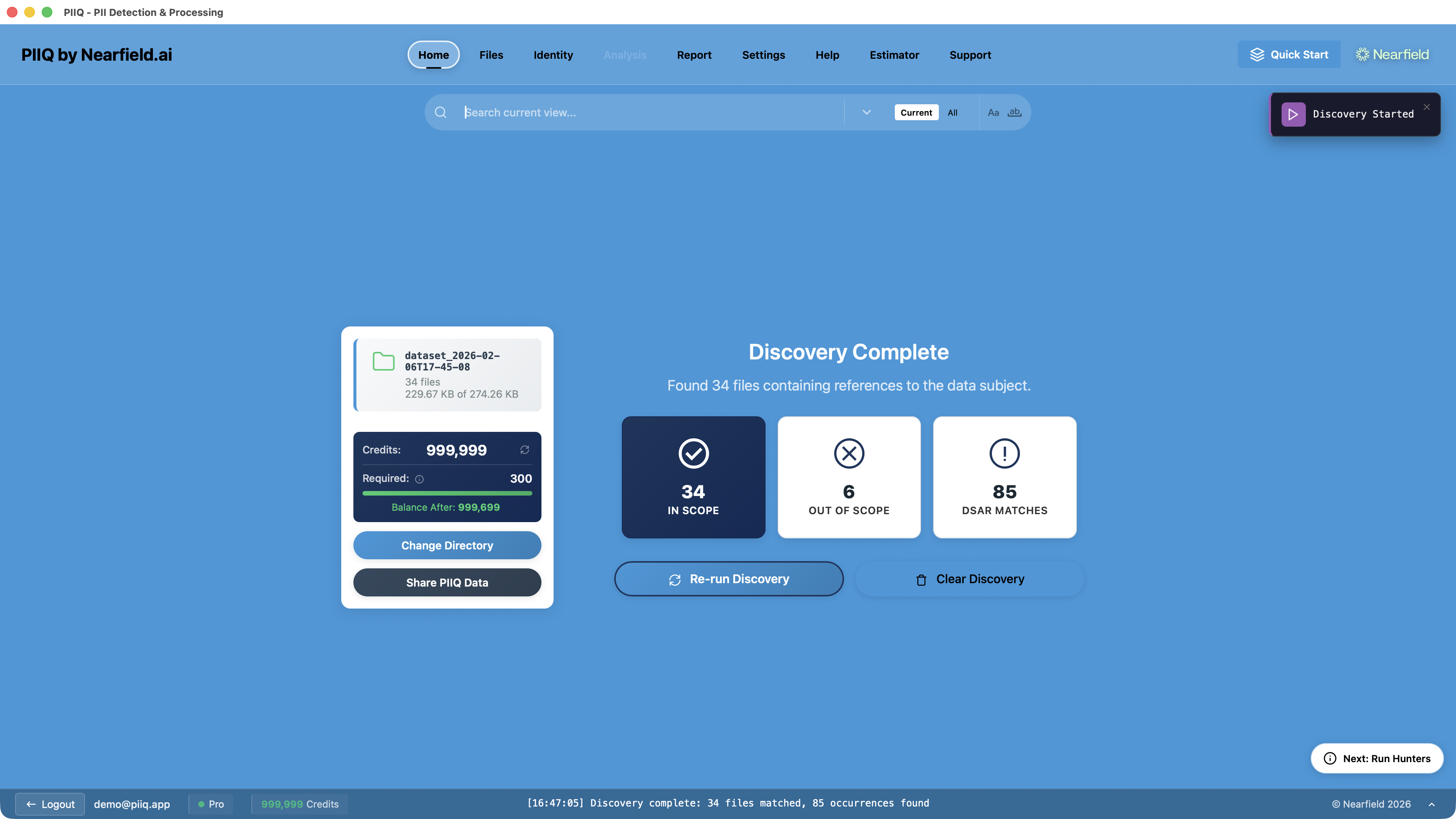
Step 5: Run Discovery — With your data subject's details confirmed, Discovery identifies which files actually mention the data subject, separating active files from those that can be safely ignored.
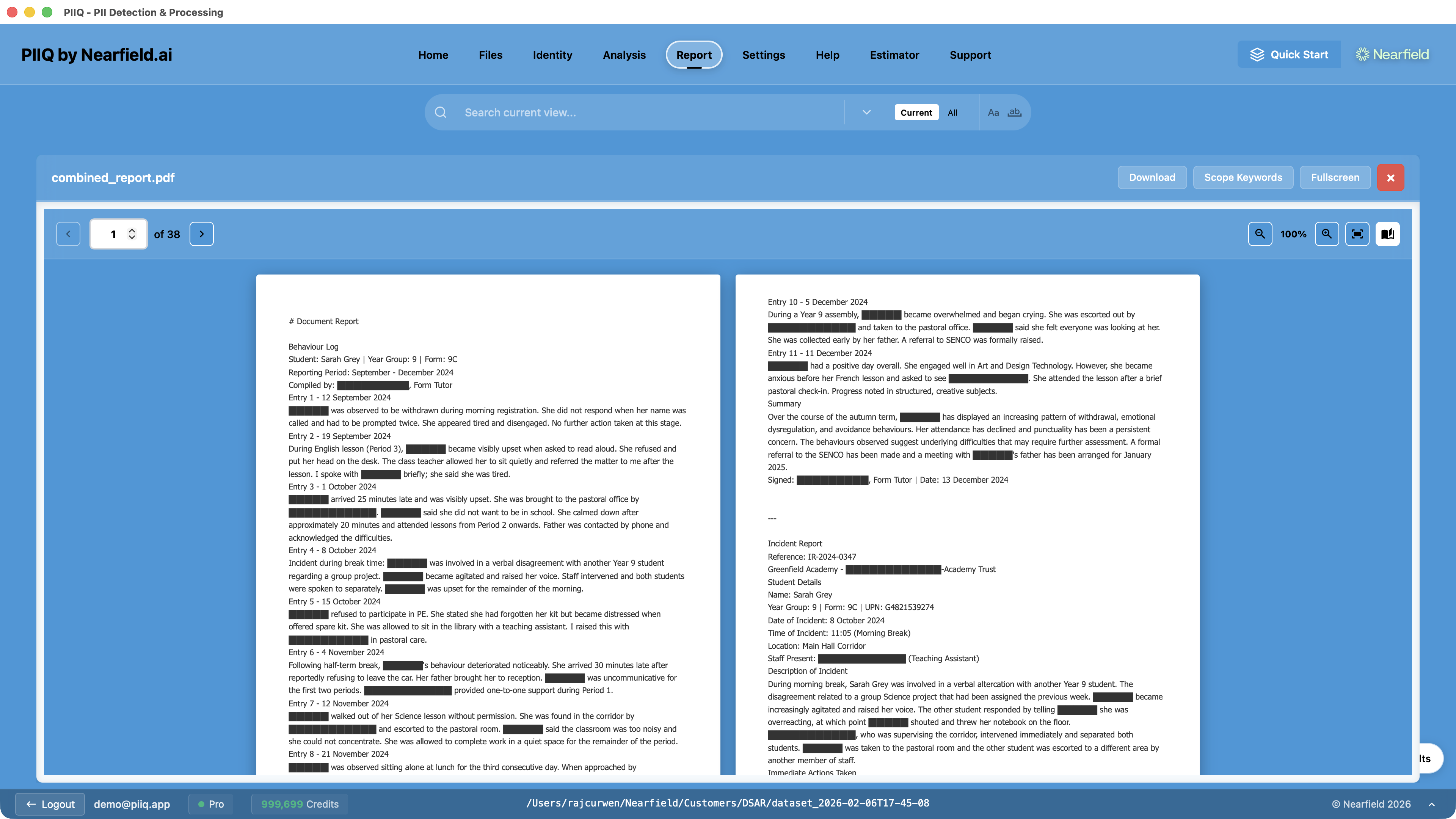
Step 6: Run Analysis — PIIQ processes the remaining files in depth, detecting and redacting all personal data belonging to other people while preserving the data subject's own information.
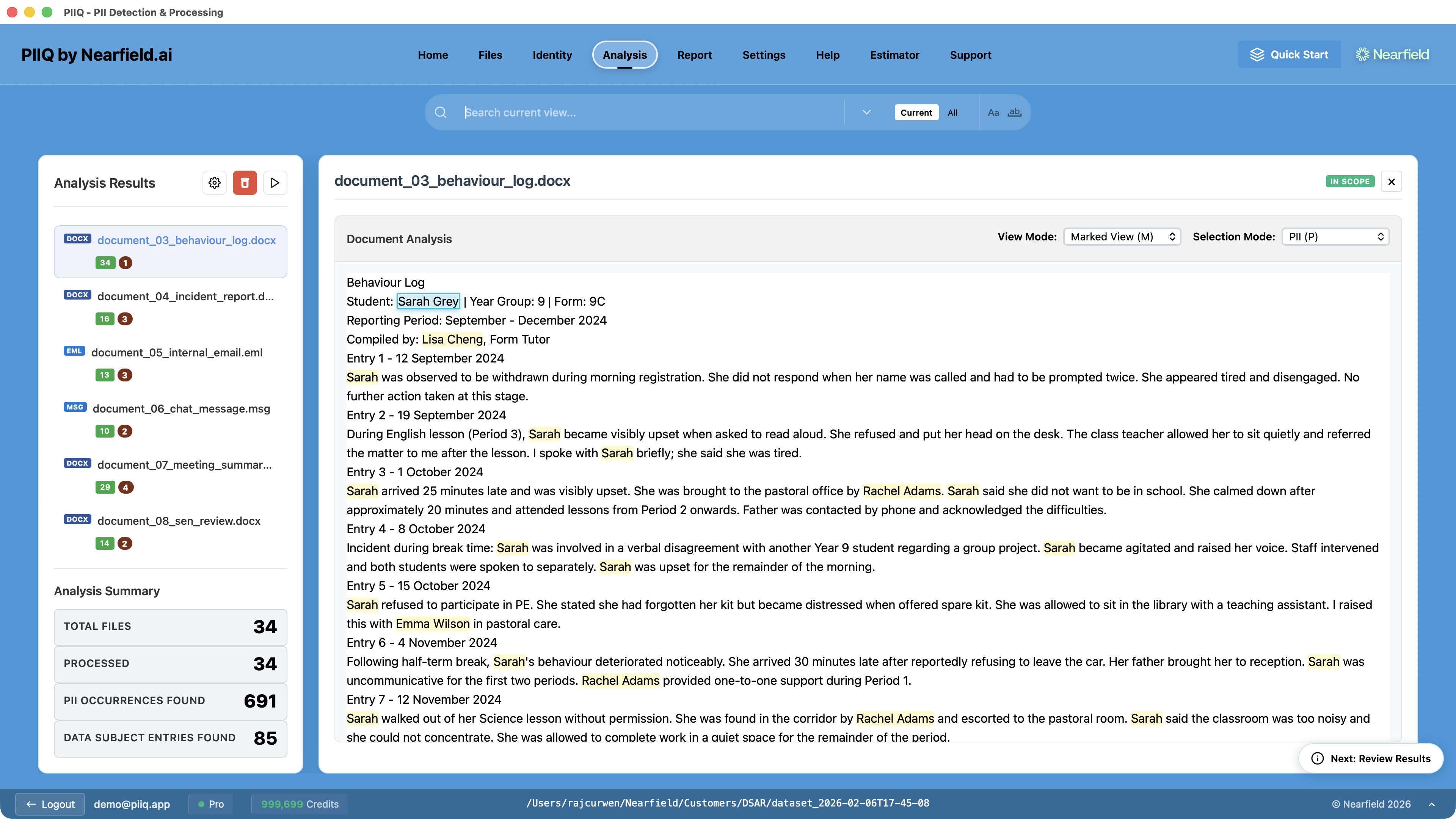
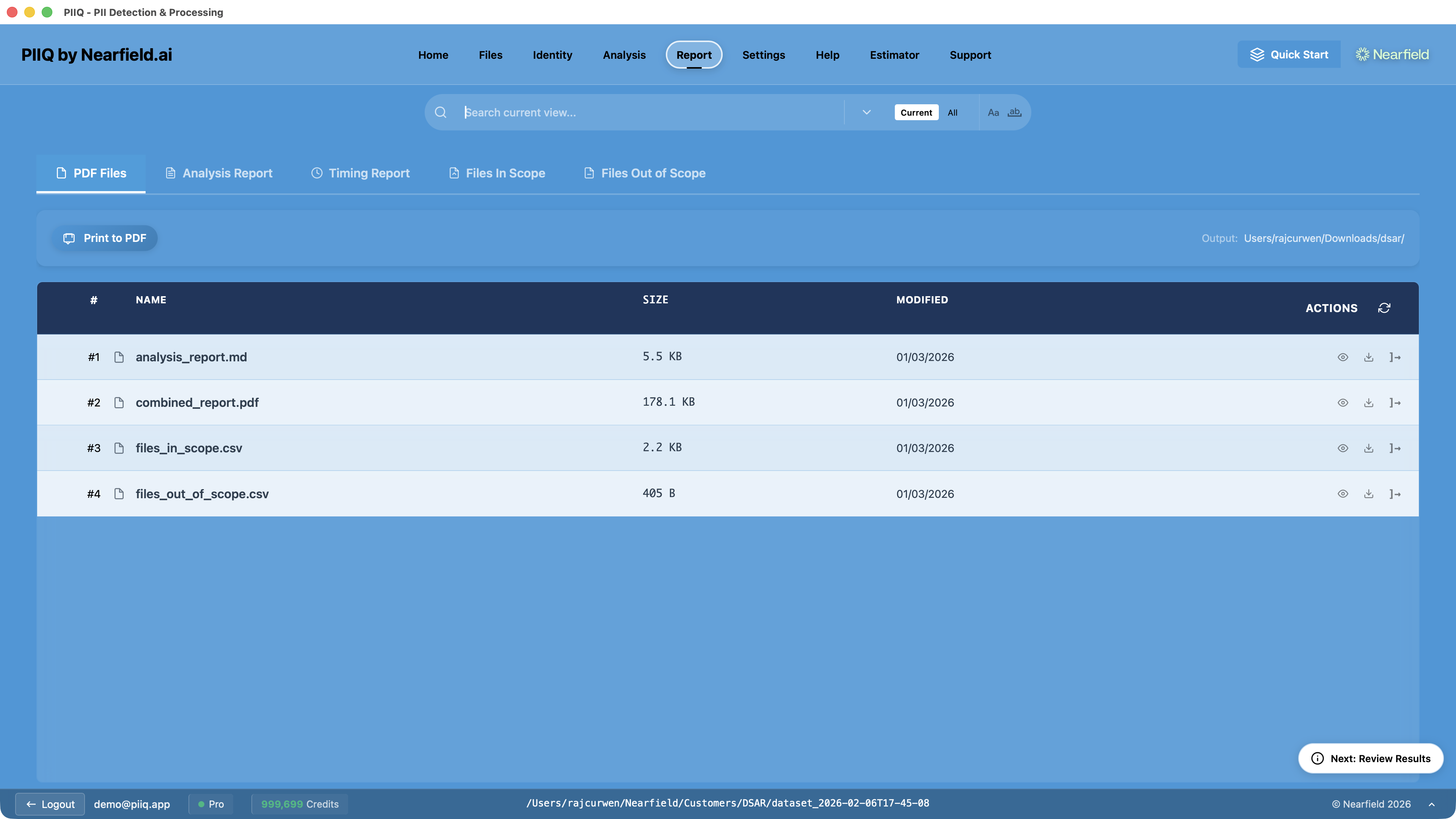
Step 7: Review and export — Review the processed files, check the redactions, and generate the final disclosure package.
From Days to Hours
The traditional approach to a DSAR is brute force: collect everything, read everything, redact manually, hope you haven't missed anything. It takes days or weeks, and the quality depends entirely on how carefully each document was reviewed.
PIIQ's approach is layered and intelligent. Hunters find the hard-to-detect PII that pattern matching misses. Exclusions remove irrelevant categories. Discovery narrows the file set. Analysis handles redaction with AI precision. Each layer reduces the work for the next.
A credit card number is easy to find. A name, used in context, buried in a paragraph, in one of four hundred documents — that's the real challenge. And that's exactly what Hunters are built to solve.